 SDRmm
Operate
Finding signals
Scanner, Signal identifier, Spectrum monitor, Signal hunt, Signal survey, and hourly occupancy.
On this page
Open Library → Occupancy for hourly channel activity on the selected Device.
Scan
A Scanner tunes one channel (Device follows if on Auto; Manual skips out-of-window targets). Wire Scanner control → channel control and the same Device iq → Scanner iq.
- Find: Listed (stop on first busy frequency until 1.5 s quiet), Strongest, or All (visit every busy frequency once for Hold, useful with DAB + Decoder log grouped by Frequency).
- Busy: ≥ Over noise (default 12 dB) over channel bandwidth. Band uses channelized regional rasters (DAB, PMR446, etc.).
- Skip adds to Lockouts; Priority polls every 2 s. Radios supporting Firmware sweep pause other channels while sweeping (refused during IQ record/pre-roll/export).
Identify a signal
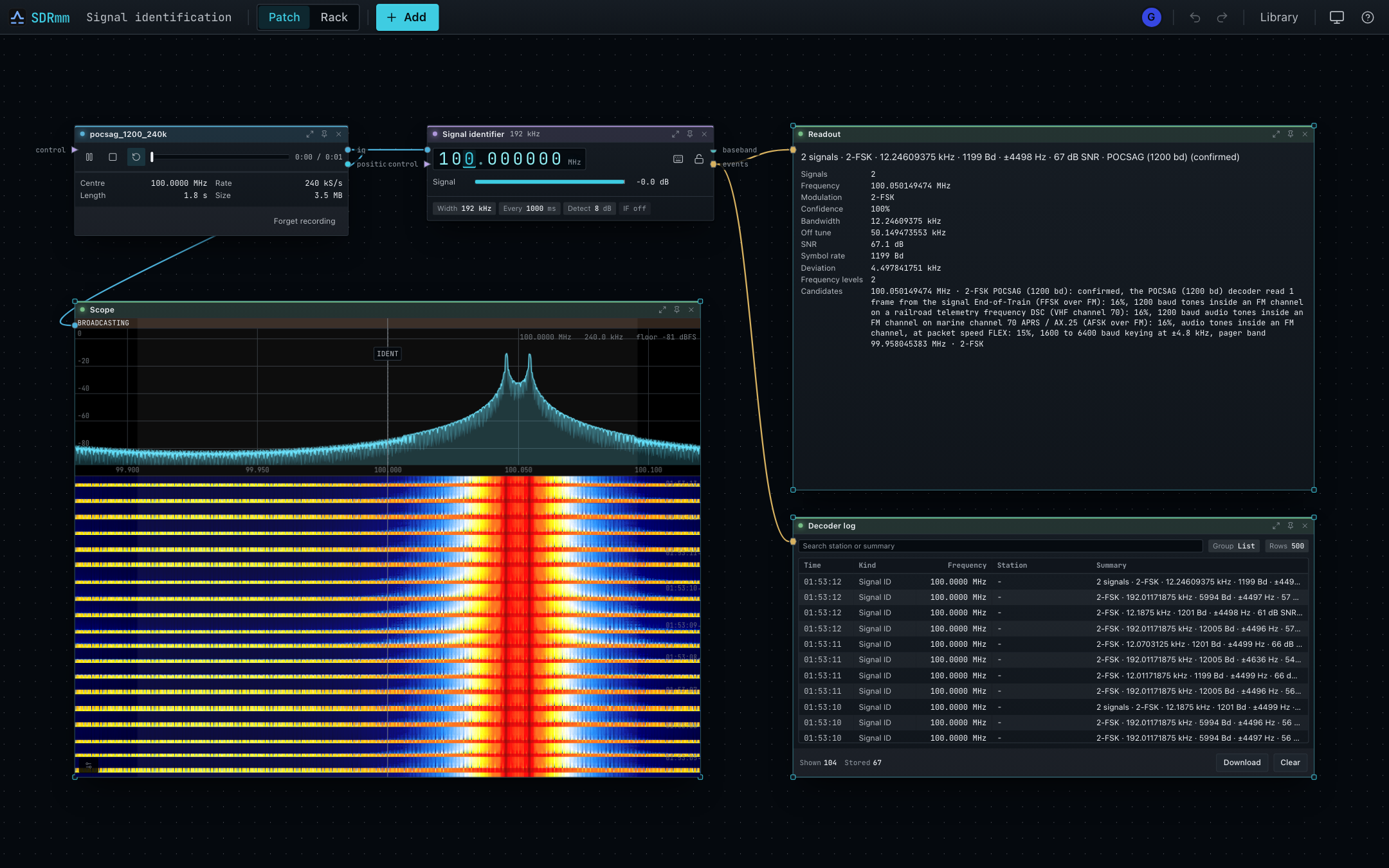
Add Utility → Signal identifier (span up to 192 kHz, default 1,000 ms interval, 8 dB threshold). Lists active signals with modulation, bandwidth, SNR, symbol rate, deviation, and burst timing. Candidate protocols marked confirmed matched a decoder or frame sync. Cannot separate sub-noise spread spectrum or dense FT8 bands.
Monitor a band
Wire Device iq → Spectrum monitor → Decoder log to detect and decode every active signal across the Device’s window without adding channels or retuning.
- Filter by Protocols, optional Start/Stop sub-band, Min confidence (default 70%), and Unidentified signals.
- Attaches 8 kHz WAV clips (24 h in Decoder log, or permanent via Record each call).
- Limits: 32 concurrent signals, 3 decoders/signal, 2 s IQ buffer; no pictures/video.
Hunt a transmitter
Wire Signal hunt control → channel control and Device iq → Signal hunt iq for fast walking RSSI + optional Geiger Clicks.
Sweep for a bearing
Wire a paired phone GPS to position, set antenna Mount offset, press Sweep, and turn 360°. Sweep (on completion) or Mark emits a bearing on events for Triangulation.
Survey an area
Wire Device iq and GPS position to Signal survey, set Offset and Width, start, and Export CSV. Averages peak dBFS into ~10 m cells server-side (max 5,000 cells in RAM, lost on restart). Keep gain/antenna fixed (Pause before changing).