 SDRmm
Start
Your first receiver
Hear a local FM station with an RTL-SDR in four steps.
No hardware yet? Open Library → Examples and import No radio to run on the built-in signal generator.
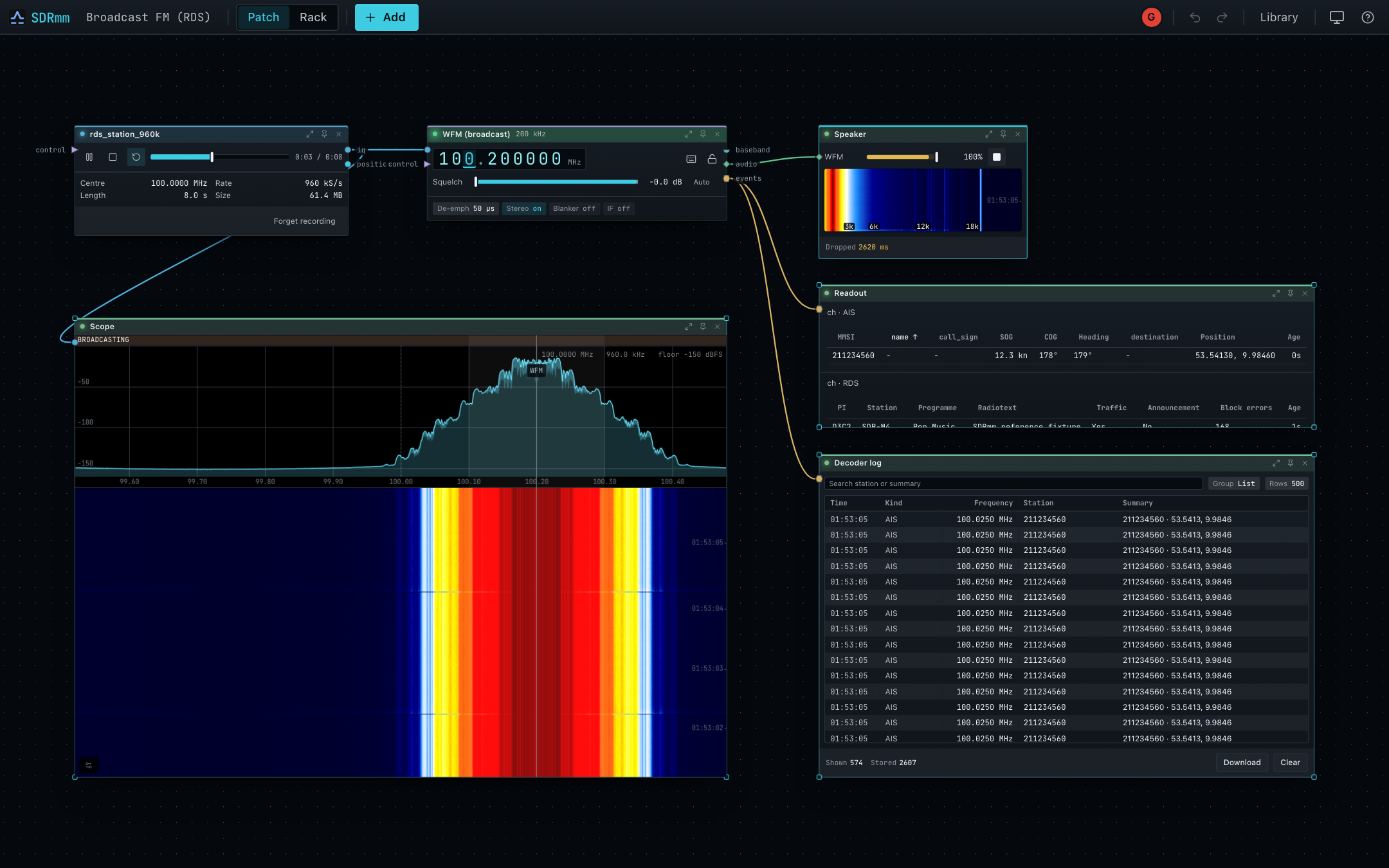
- Pick the radio. Plug in your RTL-SDR, select it on the Device node, and set 2.4 MS/s. Missing? Press Check hardware or see RTL-SDR.
- Add WFM. Press + Add → WFM, wire
Device iq → WFM iqandWFM audio → Speaker audio, and dial a local FM station. The Device follows the channel automatically. - Listen. Press play on Speaker and raise Device gain without clipping. Silent? Drag WFM squelch far left and press Resume audio if shown. See Troubleshooting.
- RDS & Rack. Wire
WFM events → Readoutfor station name and text. Presspon any node to pin it to Rack, andvto swap views.
Next: Nodes and wires, Library → Templates, or Modes.